Curator AI logo Curator AI Get the App
For self-learners, students & professionals · 8 languages · Free on Android

YouTube has the lessons.
We build the curriculum.

Tell us what you want to learn and how much time you have. Curator AI structures the best YouTube videos into a complete course — with AI summaries, quizzes, and flashcards. Sections stream in as they're built, so you start learning right away.

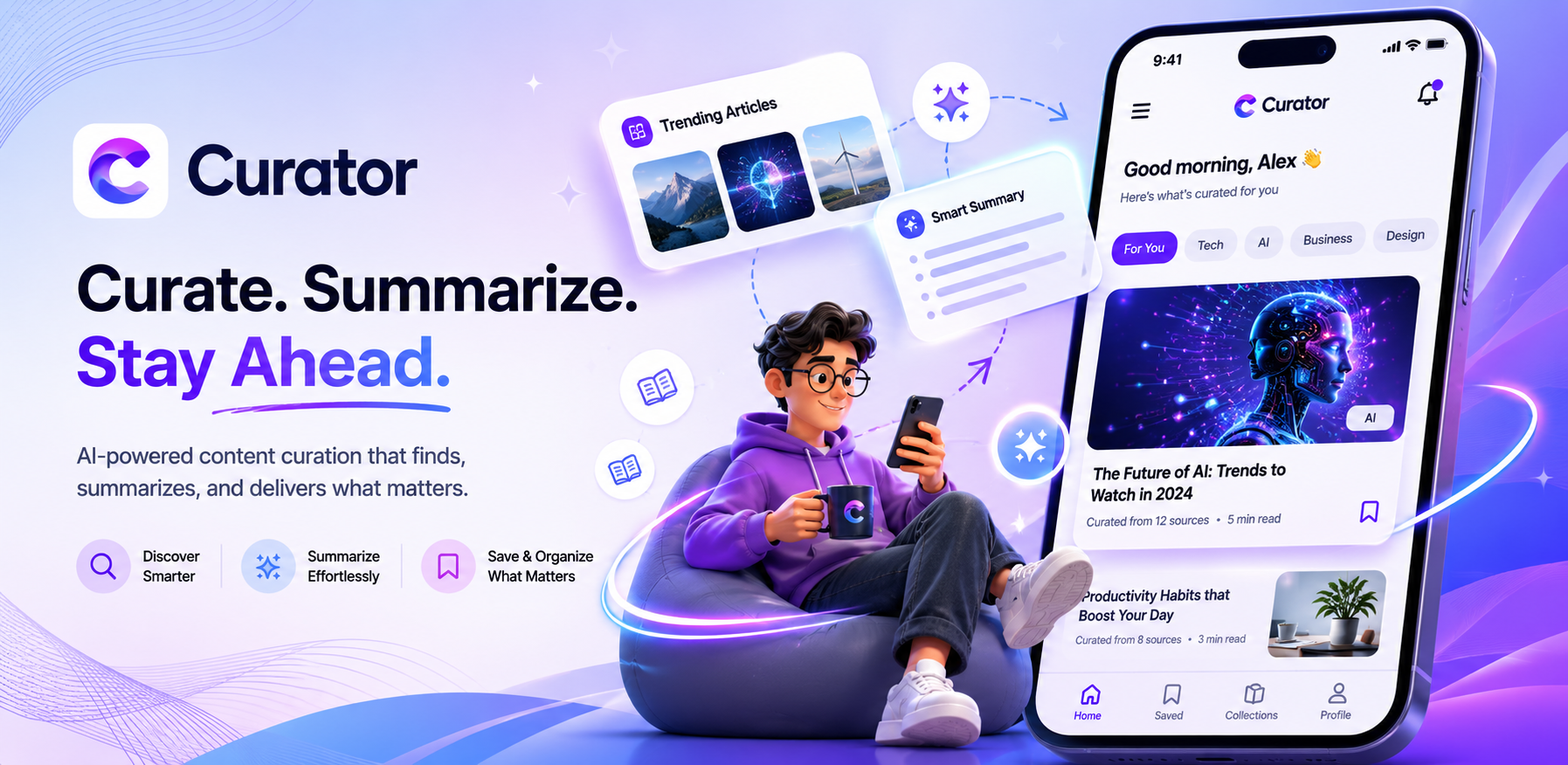
Curator AI – Curate, Summarize, and Stay Ahead with AI-powered content curation on your phone

8

Languages Supported

4

Difficulty Levels

14

Course Categories

Free

On Android

How It Works

A complete course in three steps

No syllabus hunting. No tab-switching. Just one goal and a few taps.

1

Choose What to Learn

Type any topic — Python programming, photography, Indian history, cooking techniques, finance basics — anything you're curious about.

2

Set Your Time Budget

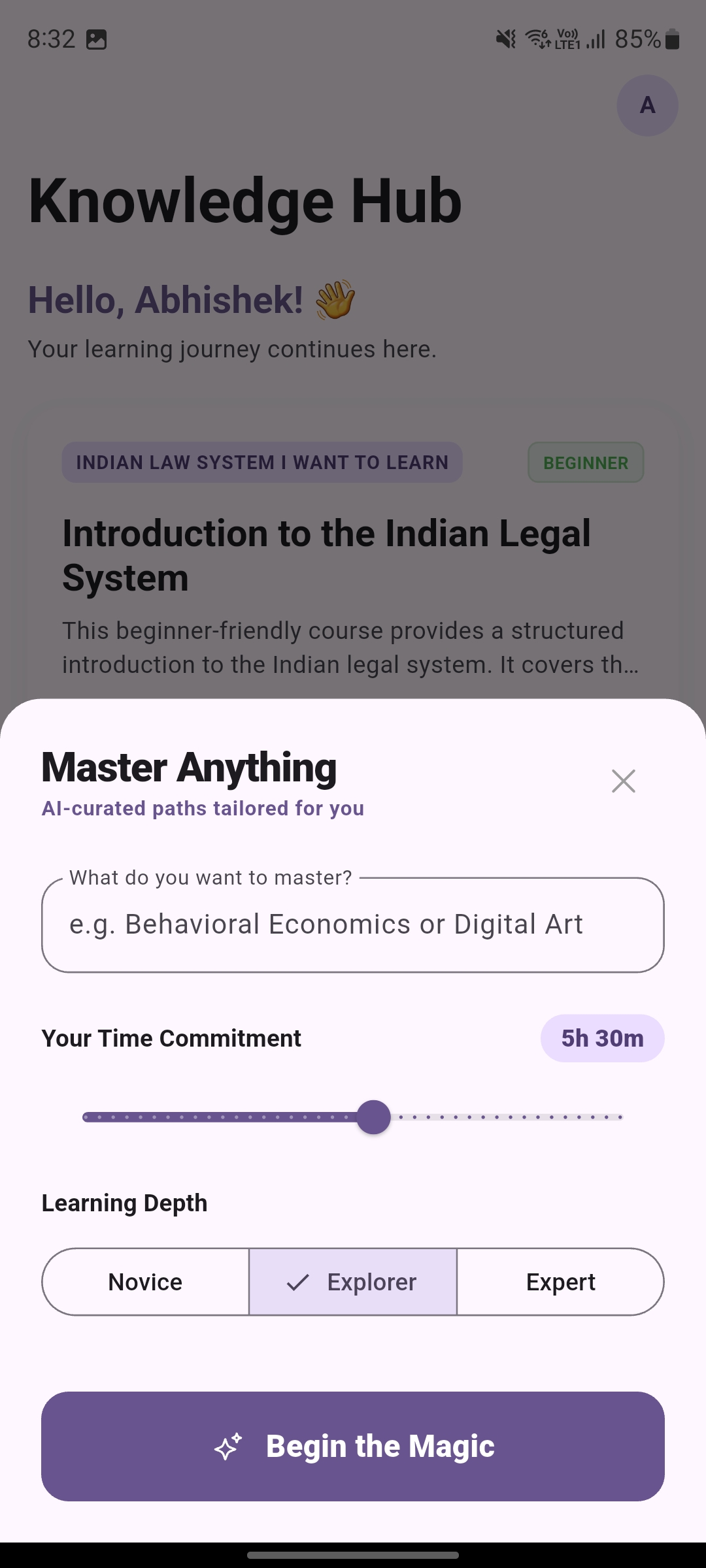
Tell the AI how much time you have — 15 minutes, 2 hours, or up to 10 hours. Pick your language and difficulty level. The course adapts to your schedule.

3

Start Learning Instantly

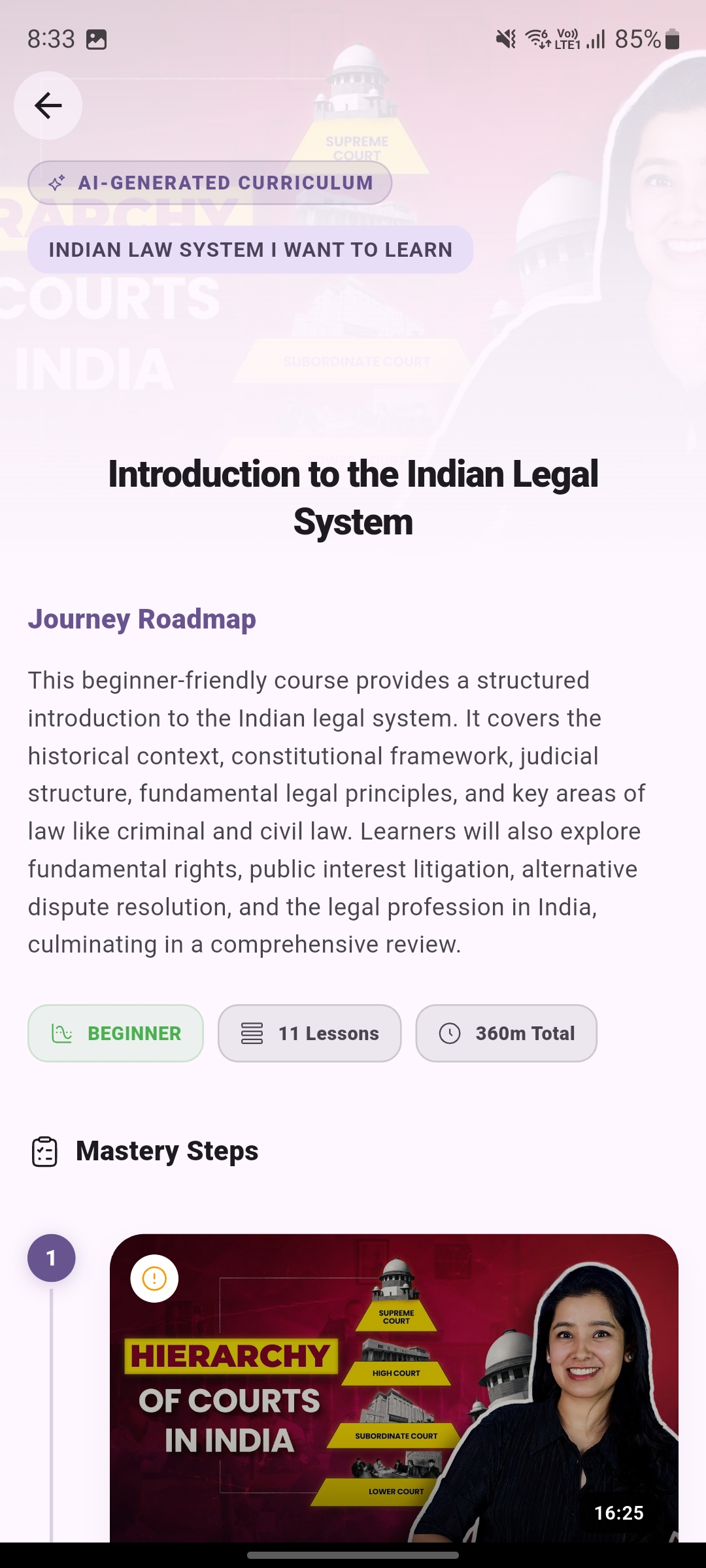
Receive a full structured course: progressive sections, curated YouTube videos, AI summaries, key takeaways, multiple-choice quizzes, and flashcards.

Who It's For

Built for every kind of learner

One app. Every goal. Whether you're cramming for an exam or exploring a new passion — Curator AI meets you where you are.

Career Switch

Switching careers or learning a new skill for work

Building a portfolio? Cracking a coding interview? Entering a new field? Create a structured course on any skill — from beginner to confident — fitted to the hours you actually have.

Example course generated

Python for Data Science · 4 hrs · Beginner
Exam Prep

Strengthening weak topics before an exam

UPSC, board exams, competitive tests — create focused mini-courses on the exact topics you need to revise, then drill them with auto-generated quizzes and flashcards.

Example course generated

Modern Indian History · 2 hrs · Intermediate
Busy Professional

Learning in 30-minute windows

No time for long courses? Set your time budget — 15 minutes to 10 hours — and get a course that fits. Or swipe through Learning Reels for bite-sized concepts. Your progress is saved. Pick it up whenever.

Example course generated

Financial Planning Basics · 1 hr · Beginner
Hobby & Curiosity

Going from curious to actually good at something

Photography, guitar, cooking, fitness, investing — if YouTube has videos on it, Curator AI builds you a path from complete beginner to advanced with clear progression.

Example course generated

Street Photography · 3 hrs · Intermediate

Features

Everything you need to learn deeply

Not just a video playlist — a complete learning system with courses, micro-learning reels, community content, and gamification.

AI-Generated Course Outlines

The AI breaks your topic into logical, progressive sections — from fundamentals to advanced — building real comprehension, not just trivia.

Learning Reels

Swipe through bite-sized concepts in a TikTok-style feed. The AI segments a YouTube tutorial into timestamped micro-lessons you can learn in minutes.

Curated YouTube Videos

Videos are ranked by relevance, quality, clarity, freshness, and duration fit — so every video actually belongs in your course.

AI Summaries & Key Points

Every video comes with an AI-generated summary and key takeaways so you retain what matters without re-watching.

Smart Quiz Questions

Multiple-choice questions per video test your understanding of the actual content — with explanations for every answer, not just a score.

Flashcard System

Auto-generated flashcards per video with tap-to-flip animations for review. Toggle on/off based on your learning style.

Adaptive Difficulty

Choose Beginner, Intermediate, Advanced, or Mixed — the AI adjusts course depth, complexity, and pacing to match your level.

Multi-Language Courses

Generate courses in 8 languages: English, Spanish, French, German, Portuguese, Hindi, Japanese, and Chinese.

Explore Community Courses

Browse and search courses created by other learners across 14 categories. Add any course to your Knowledge Hub for free.

Leaderboard

See how you rank among other learners. Earn points for completing and creating courses, and climb the Top Learners board.

App Preview

See it in action

A clean, focused experience designed to keep you in the learning zone — not the scroll zone.

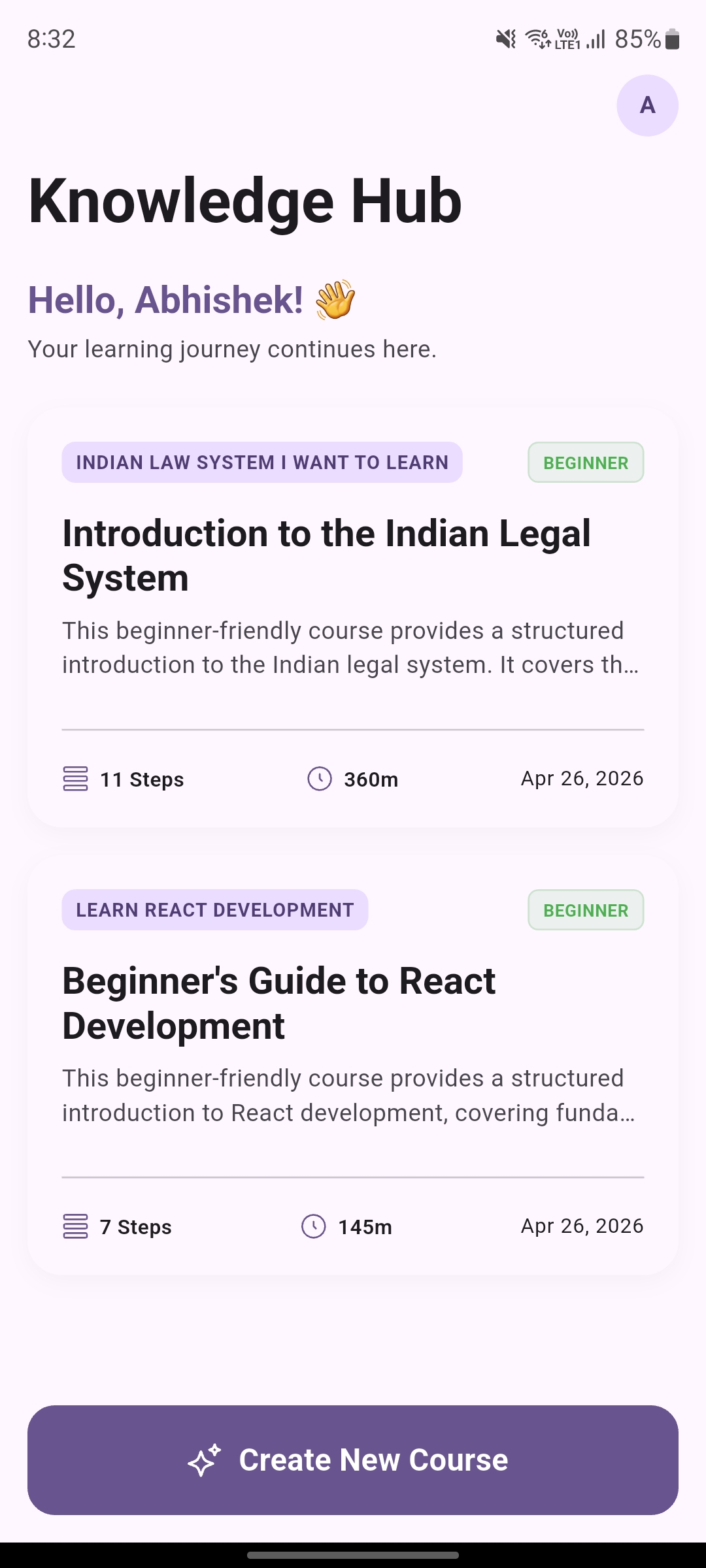
Curator AI Knowledge Hub – your personal library of AI-generated learning courses
Your Knowledge Hub
Curator AI course generation screen – enter topic, time budget, and difficulty level
Create a Course in Seconds
Curator AI course view with curated YouTube sections, summaries, quizzes and flashcards
Rich, Structured Learning

FAQ

Common questions

Is Curator AI free to use?

Yes. Curator AI is completely free to download and use on Android. Generate courses, swipe through Learning Reels, and explore community courses — all at no cost.

What are Learning Reels?

Learning Reels are a TikTok-style micro-learning experience. Type a topic, and the AI finds a comprehensive YouTube tutorial, then segments it into bite-sized concept cards you swipe through — each anchored to a precise timestamp in the video. Each reel includes a summary, key takeaways, and optional quizzes.

What topics can I learn?

Anything. Programming languages, mathematics, history, music theory, cooking, fitness, business, science, languages, art — if there are YouTube videos about it, Curator AI can build a course around it.

What languages are supported?

You can generate courses in 8 languages: English, Spanish, French, German, Portuguese, Hindi, Japanese, and Chinese. The AI finds YouTube content and generates summaries in your chosen language.

How does the AI choose YouTube videos?

Our ranking algorithm scores videos across five dimensions: topic relevance, production quality, content clarity, recency, and duration fit for your time budget. It also applies redundancy detection so you don't get duplicate content across sections.

Do I need a YouTube account?

No. Curator AI fetches publicly available YouTube videos through its backend — you don't need to connect or log in to any YouTube account.

How is this different from just searching YouTube?

A YouTube search gives you a chaotic list. Curator AI gives you a structured curriculum: sections that build on each other, AI-generated summaries, key-point extraction, quizzes with answer explanations, and flashcards for review — all in one place. Or skip the course format entirely and swipe through Learning Reels.

Can I learn at my own pace?

Absolutely. Your courses are saved permanently in your Knowledge Hub with progress tracking — completion percentage, quiz scores, and where you left off. Start a course today, pick it back up next week.

Is my data private?

Your courses are tied to your Google account and stored securely. Curator AI does not sell or share your personal data. Firebase Analytics is used solely to improve the app experience.

Curator AI

Your next skill
starts today

Students, career-switchers, and curious professionals are learning smarter — not longer — with Curator AI. Generate structured courses or swipe through Learning Reels — free on Android.

Get it on Google Play

Android 5.0+ required. Free to use.